Know your crop prices
Check mandi and APMC prices for the crops you grow.
Mandi prices, farm accounts and crop health checks from a photo.
Simple tools, in your own language.
Krushi Saarthi is published on Google Play by ADH ByteWorks.
Krushi Saarthi (Krishi Saarthi) is an Android farming app for Indian farmers. Compare mandi and APMC crop prices, maintain a farm khata of income and expenses, track worker advances and repayments, check weather, calculate crop sale proceeds and get photo-based Crop Health guidance in Gujarati, Hindi or English.
You can read this website, browse its market-price preview and view our privacy policy and terms without an account. Sign in to the app to manage your personal farm records and use Crop Health.
Use Google sign-in to create or access your Krushi Saarthi account. Eligible subscribers can also connect Google Drive to back up and restore farm records in the app’s private backup area. Drive backup is optional and does not give the app access to your other Drive documents. Our privacy policy explains the data and permissions used.
Check mandi and APMC prices for the crops you grow.

Record crop sales, expenses and worker advances in one farm khata.
A few small steps to make everyday farm work easier.
Tap the microphone and say the crop name in your language. Spend less time typing when checking mandi prices.
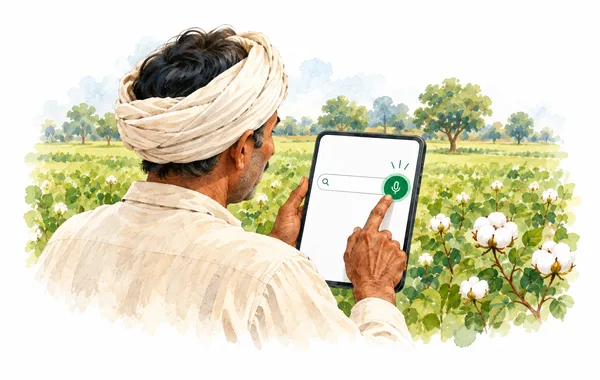
Use the mic beside the crop search box.

Say “cotton” in the language selected in your app.

Review or edit the recognised name, then find your crop.
Checking the price of cotton or wheat? Tap the microphone beside the crop search box and say the crop’s name. Let the app put your words into the search, so you can get to the mandi prices with less typing.
Use the language you are comfortable with — Gujarati, Hindi or English, as selected in the app. You can also speak a worker’s name when adding them, or dictate a note such as “seed purchase” where a microphone is shown. Check the words and make any changes before saving.
Allow microphone access when asked. Voice recognition depends on your device’s speech service and may need internet. Typing is always available.
See how voice input worksFarm khata, seed expenses and worker upad — keep your own backup in Google Drive, ready to restore through Krushi Saarthi.

Open Profile → Backup & Downloads and choose your Google account.

Save your records, then check the last successful backup time.

Use the same app and Google accounts. Preview before replacing your current records.
Crop sales, seed expenses and worker upad — keep a personal backup of these important records in your own Google Drive. Connect your Google account and tap “Backup Now”, so you have a saved copy to restore through Krushi Saarthi when you need it.
See when your last backup succeeded and choose when to make a fresh copy. While connected, automatic backups can also update your copy after record changes. To restore, use the same Krushi Saarthi account and the Google account holding your backup. Review the preview before confirming: restoring replaces your current farm records.
Google Drive backup is a Premium feature. Your backup stays in the app’s private area in your Drive. Disconnecting leaves the saved backup in place.
Explore backup and restore How your backup data is used
Take or choose a clear photo in Krushi Saarthi to check for possible crop diseases and get guidance on what to do next. Available in Gujarati, Hindi and English.
How photo checks workCompare reported mandi prices for your crops. Choose a state, district, crop and date, and check the reporting date before visiting the market.
Showing up to 25 reported prices, or a smaller preview on the homepage. If a requested date has no report, the feed may return a nearby available date. Always check the date shown.
| Crop and variety | Mandi and district | Lowest price | Modal price | Highest price | Price change |
|---|---|---|---|---|---|
| Banana - GreenOtherGrade: FAQPrices per quintal | AhmedabadAhmedabadReported date: | ₹1,000 | ₹1,150 | ₹1,500 | 0.0% |
| BeetrootOtherGrade: FAQPrices per quintal | AhmedabadAhmedabadReported date: | ₹1,500 | ₹2,500 | ₹3,000 | -9.1% |
| BhindiOtherGrade: FAQPrices per quintal | AhmedabadAhmedabadReported date: | ₹2,000 | ₹3,300 | ₹4,000 | -12.0% |
Source: the crop-rate feed used by Krushi Saarthi. Reports may be delayed or incomplete; confirm the selling price with your local mandi.
Choose your language and start with the task you need today.
Get the Android app from Google Play. Check in-app prices before using paid features.
Verify with a phone OTP. Pick your language, state, and the crops you grow.
Check market prices, add a khata entry or open Crop Health to check a crop photo.
Your mandi prices, farm khata and worker records, all in one app. Get to know Krushi Saarthi through our videos and stay connected for app updates.